Full vs Lite
What the Full edition adds over Lite, why the download is bigger, and how to tell which one you have.
WM Keyboard builds as two APKs from the same source. Full edition only bundles Google’s on-device machine learning for handwriting and scanning, the LiteRT runtimes behind its original Whisper models and a local AI model, and the Whistle voice engine. Lite edition only drops those for a much smaller download. The open-source engines are in both: grammar checking (Harper), offline Whisper on whisper.cpp, and offline Asr4All, Parakeet and Moonshine. Everything else (typing, prediction, themes, languages, privacy) is identical between them.
What Lite leaves out
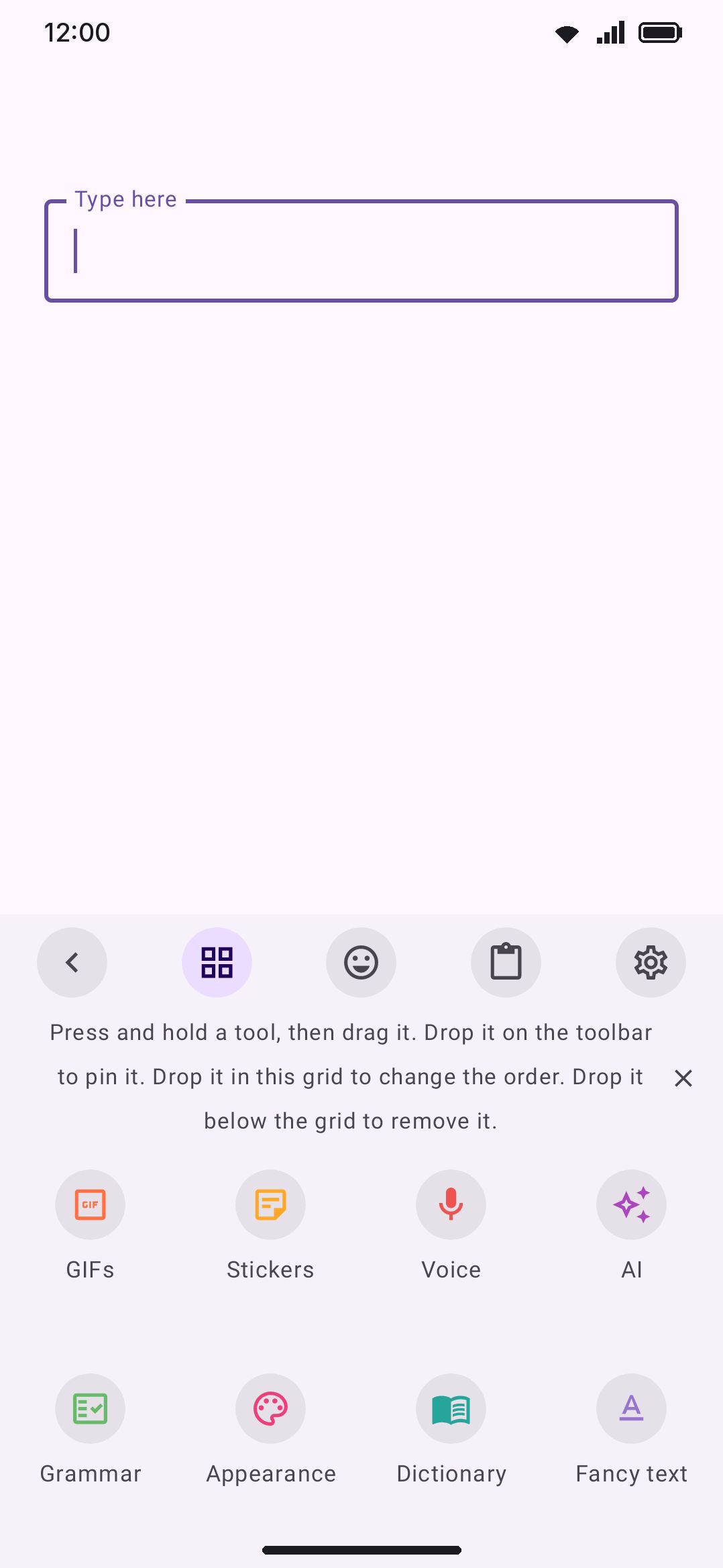
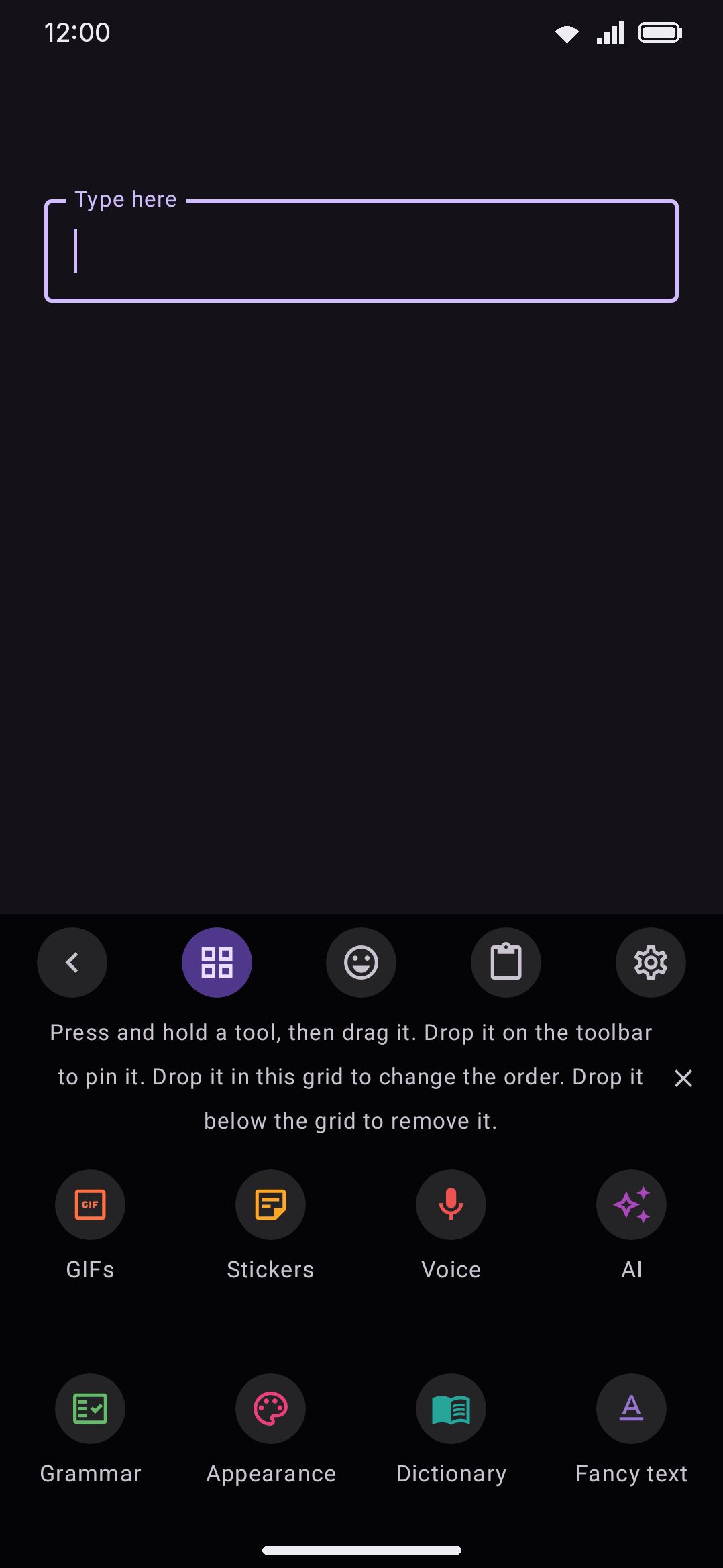
Section titled “What Lite leaves out”Both flavors come from one Gradle flavor dimension (capabilities) that flips five build flags. Lite ships with four of them off, which hides exactly four tools from the toolbox:
| Tool | What it does | Lite edition only |
|---|---|---|
| Handwriting | Write words by hand (finger or S Pen) with on-device recognition | Not available |
| Text scan (OCR) | Point the camera at printed text and type it | Not available |
| QR & barcode scanner | Scan a QR code or barcode and insert its text | Not available |
| Document scanner | Scan a document with Google’s scanner and send it as an image | Not available |
There’s no toggle to flip in Lite. The setting never renders at all. The same check hides these tools everywhere they could otherwise show up: the toolbox panel, the Tools settings screen, settings search, the hardware-keyboard tool shortcuts, and the onboarding tool picker. Grammar check is in both editions, and so is the Harper spell checker under Android’s system spell-checker settings. A build made without the Harper library, which is what F-Droid builds, switches that spell checker off and shows the grammar tool as not in this build.
The document scanner has a second condition on top of the flavor. It’s an activity inside Google Play services rather than this app’s own code, so the same check drops it on a Full build running on a phone without Play services. Text scan and QR scanning stay on such a phone, because their models are in the APK.
Handwriting carries one nuance of its own. Even on Full, its “Handwrite” option under What a swipe does (draw letters instead of gliding) is Full-only, because handwriting a swipe needs the same recognition model. The choice itself appears once you’ve turned on gesture typing, and Lite still offers its other two options.
See Handwriting, Scanner, and Grammar check for what each tool does in detail.
Full-only extras beyond the toolbox
Section titled “Full-only extras beyond the toolbox”Two more features are partly or wholly Full-only without being toolbox tools of their own. Both are options nested inside tools that exist in both editions:
- Offline voice engines. The Voice typing tool’s “Recognition engine” choice is in both editions. Both offer offline Whisper with its whisper.cpp models, offline Asr4All, English dictation that writes the words while you speak, offline Parakeet for 25 European languages and offline Moonshine, a small quick English model. Full adds Whisper’s older LiteRT models and, on a 64-bit ARM phone, offline Whistle, a small model for seven languages. The system recognizer stays the default in both until you switch it.
- On-device local LLM. The AI writing tools provider picker filters out the “On your device” chip unless the Full flags are set, leaving the nine that reach a server: Claude, OpenAI, Gemini, Grok, DeepSeek, Brave, Ollama, LM Studio and “Other service” for anything else that speaks the OpenAI chat-completions shape. On Full, on-device is a tenth chip beside them. Claude (Anthropic) is still the default provider until you change it.
Why the download is smaller
Section titled “Why the download is smaller”The build’s own comment on the flavor split calls it out directly: Lite removes the ML Kit native libraries for low-storage devices. That covers the handwriting and scanning libraries specifically. The LiteRT and LiteRT-LM runtimes behind Whisper’s LiteRT models and the local LLM are also Full-only native dependencies and add to the same gap. The engines both editions carry are small by comparison: on a 64-bit ARM phone about 2.4 MB for Harper, 3.3 MB for whisper.cpp (two builds for different processors) and 3.8 MB for the ExecuTorch runtime behind Asr4All, Parakeet and Moonshine.
On the Play Store build some of that library code is not in the initial install either: the LiteRT-LM runtime, ML Kit’s translator, the LiteRT interpreter behind offline Whisper and the sticker editor’s own background remover, ML Kit’s handwriting recogniser, the whisper.cpp, ExecuTorch and Whistle libraries behind the other offline voice engines (whisper.cpp models, Asr4All, Parakeet, Moonshine, Whistle), the Tesseract library behind the scanner’s offline reader, and the Harper library behind the grammar tool and the spell checker each arrive as an on-demand part the first time the feature is used.
Most of what gets cut is runtime library code, not language data. The biggest models these features use (handwriting recognition per language, Whisper’s transcription graphs, LLM weights) download on demand into app storage on Full, so none of those sit in the APK.
Two do ship inside it, though. The direct-download builds pull in ML Kit’s bundled text-recognition and barcode-scanning libraries, which carry their models with them, so OCR and QR scanning work on a phone with no Google services at all. Play builds swap both for the unbundled versions, which fetch their models through Play services instead. Either way it’s a Full-only dependency, so Lite carries neither the libraries nor the models.
Measuring the real 0.3.0 release APKs tells the same story, with a smaller gap than that code comment’s rough number. On arm64-v8a, Full lands at 63.2 MB and Lite at 8.25 MB, so about 55 MB apart rather than 100. Figures shift as dependencies update, same as noted on Installation.
Privacy doesn’t change between editions
Section titled “Privacy doesn’t change between editions”Lite is a smaller build, not a more private one. Every Full-only feature already runs on-device and says so in its own settings caption. Handwriting recognition “runs fully on your device with Google ML Kit.” Text scan says “no photo and no text leaves your device, and it works offline.” Document scanning says “the processing runs on your device.” Whisper “runs fully on your device across many languages and sends no audio anywhere.” The on-device AI caption says the text you run an action on “stays on your device.” Everything Full adds follows the same offline-first posture as the rest of the keyboard.
Telling which edition you have
Section titled “Telling which edition you have”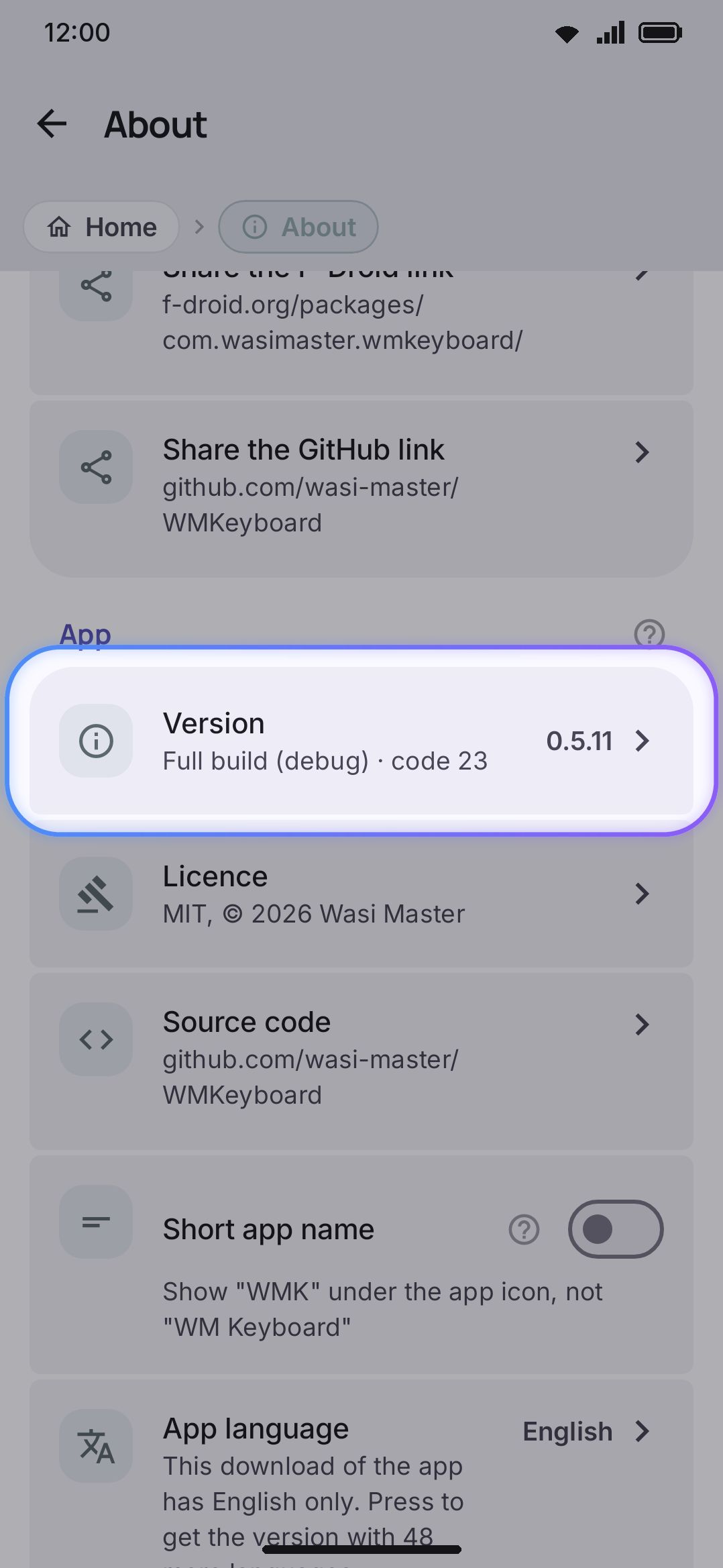
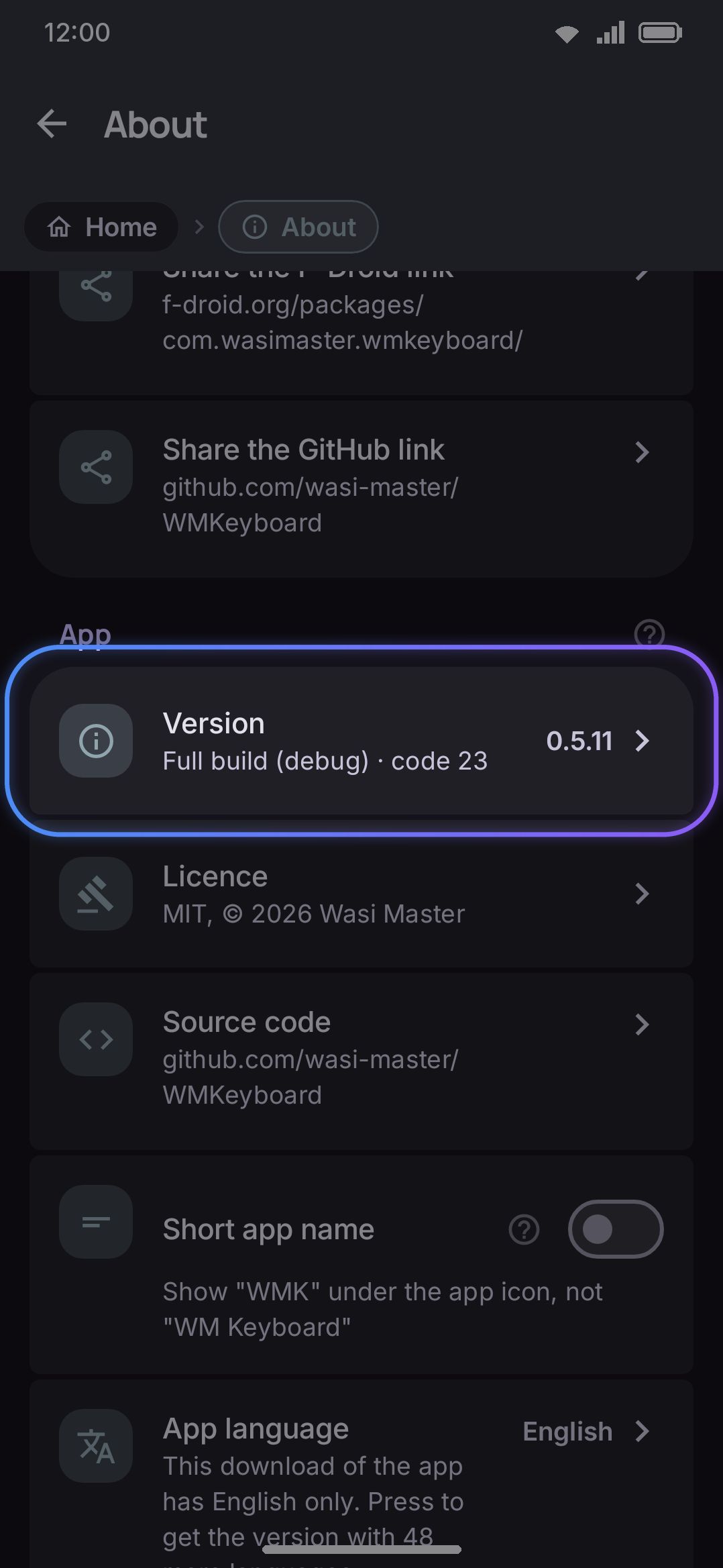
The Version row reads the build’s own flavor name, so it shows “Full build (release) · code …” or “Lite build (release) · code …” alongside the version number. There’s a quicker visual check, though. Open the toolbox. If Handwriting, Text scan, QR & barcode scanner and Document scanner are all there, you’re on Full. If they’re missing, you’re on Lite.
Switching editions
Section titled “Switching editions”There’s no in-app switch between editions. Which one you have depends entirely on which APK you installed. Both flavors share a package name and a release signing configuration, so installing the other edition’s APK over your current install is a normal app update rather than a conflicting package. Your settings, themes, learned words and the rest of the app’s data stay in place automatically. See Installation for the build commands for each flavor.
Details & edge cases
Section titled “Details & edge cases”- Toggling a Lite build’s settings never leaves Handwriting, OCR, QR or Doc scan “enabled but hidden” in some special sense. All four are still listed among the keyboard’s default enabled tools internally. They just never pass the supported-tool check that decides what renders, and that is true on either build.
- Build release APKs for both editions on different machines without sharing a signing keystore and the packages carry different signatures. Installing one over the other then fails the way any mismatched-signature update does (see Installation → Details & edge cases).
- Exported debug logs stamp which flavor produced them, which is useful context if you’re sharing one for a bug report.